













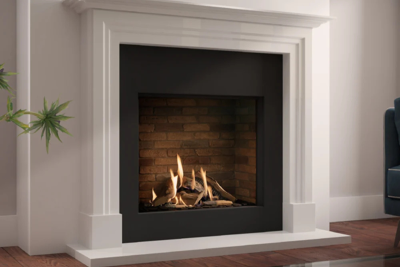





Categories
The Gamer's Guide to Building the Perfect Media Wall
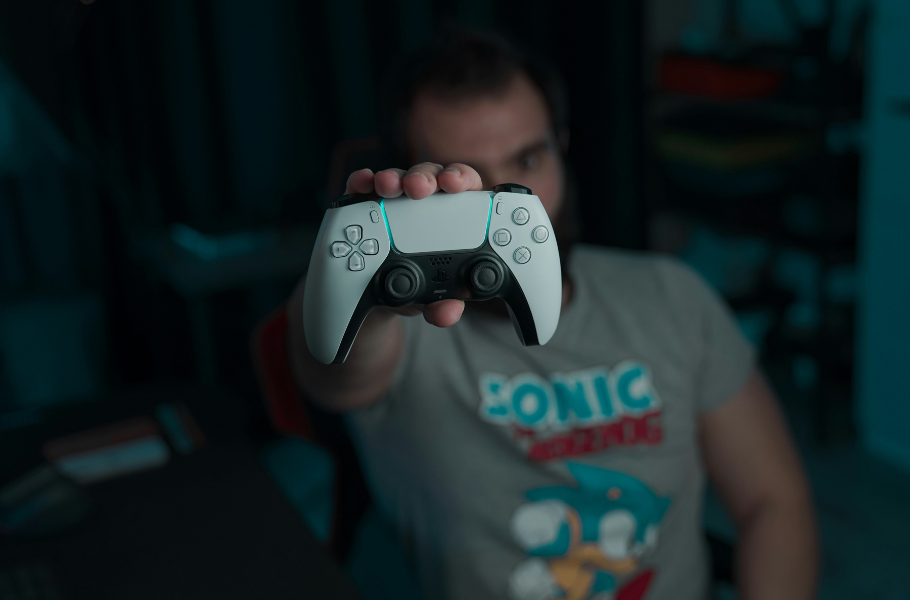
Imagine a media wall where your consoles, TV, sound system, and mood lighting all work in perfect harmony to create the ultimate gaming experience. This isn’t just a fantasy; it’s an achievable reality that blends high-tech performance with stunning interior design. A media wall designed for a gamer is fundamentally different from a standard living room setup. It’s an integrated hub, a command centre meticulously planned for immersion, comfort, and functionality, where every single component has its purpose.
Forget the bird’s nest of tangled wires, overheating consoles, and distracting screen glare. We’re diving deep into the essentials of creating a setup that’s perfect for both epic single-player adventures and intense competitive showdowns. This guide will walk you through everything from optimal screen placement and clever storage solutions to immersive lighting, pro-level cable management, and balancing your gaming haven with everyday life. Get ready to build the media wall of your dreams.
Screen Size & Placement for Gaming Perfection
The screen is the heart of your gaming setup, and its placement is critical. Getting it wrong can lead to neck strain, eye fatigue, and a competitive disadvantage.
Ideal Screen Height and Position

The primary goal is to keep your head and neck in a neutral, comfortable position. For console gaming from a sofa, the centre of the screen should be at eye level when you are seated. A common recommendation is to mount the TV so its centre is about 42 inches (around 106cm) from the floor, but you should adjust this based on the height of your sofa and your own eye line.
For PC gaming, where you’re typically sitting closer at a desk, your horizontal eye level should align with the top quarter of the monitor. The screen should be tilted back slightly, which creates an optimal viewing angle for your eyes and helps reduce strain over long sessions.
Why Viewing Angles Matter
For competitive play, every pixel matters. You need to see the entire display clearly without shifting your gaze excessively. The ideal viewing distance is a fine balance; sit too close, and you’ll notice individual pixels and experience eye strain, while sitting too far can make you miss vital UI elements or enemies lurking at the edge of your vision. A general rule is to sit between 1.5 to 2.5 times the screen’s diagonal size away. For a more cinematic, story-driven experience, a viewing angle that fills about 30° to 40° of your field of view is often recommended.
Learn More: How to Pick the Right TV Size for Your Media Wall
Multi-Screen Setups
Many serious gamers use both a large TV for immersive console games and a dedicated, high-refresh rate monitor for competitive PC gaming. A well-designed media wall can accommodate both. Consider a primary large screen mounted centrally above a sleek electric fire, with a secondary monitor on an articulating arm that can be pulled out when needed or integrated into the surrounding shelving. This allows you to maintain a clean, sophisticated aesthetic while having the best of both worlds.
Integrated Storage for Consoles & Accessories
A cluttered gaming space is a distracting one. A bespoke media wall offers the perfect solution to keep your hardware, accessories, and games organised and accessible.
Built-in Shelving and Hidden Compartments
Custom-built shelving is a gamer’s best friend. When designing your media wall, plan out niches sized explicitly for your PlayStation, Xbox, Nintendo Switch, and even your VR headset. This not only looks incredibly sleek but keeps your valuable tech safe and secure. These shelves are often built into the stud wall on either side of a central fireplace, creating a balanced and stylish look.
For a truly clean, minimalist aesthetic, incorporate hidden compartments with push-to-open doors. These are perfect for stashing away controllers, remotes, charging docks, and physical game cases, keeping them out of sight but within easy reach.
Learn More: Media Wall Storage Explained: Options & Ideas
Ventilation: The Golden Rule
Modern consoles like the PS5 and Xbox Series X generate a significant amount of heat. Enclosing them in a cabinet without proper ventilation is a recipe for overheating, which can lead to performance throttling and long-term damage.
To prevent this, ensure your media wall design includes critical ventilation features:
- Ample Space: Leave several inches of clearance around all sides of the console for air to circulate freely.
- Open Backs: Where possible, design shelving with open backs or large cut-outs to allow hot air to escape.
- Active Cooling: For fully enclosed cabinets, installing quiet, USB-powered cooling fans is a non-negotiable. You can set up intake fans to pull cool air in from the front or bottom and exhaust fans to push hot air out of the back or top. These can often be powered directly from the console’s USB ports, so they turn on and off with the system.
Lighting That Boosts Immersion
Lighting is more than just illumination; it’s a powerful tool to deepen immersion, reduce eye strain, and set the perfect mood for any gaming session.
Reactive LED Strip Lighting

The cornerstone of modern gaming room lighting is the RGB LED strip. Placing these strips behind your TV or monitor creates a ‘bias lighting’ effect. This soft glow reduces the harsh contrast between a bright screen and a dark room, which can significantly lessen eye fatigue. For the ultimate experience, invest in smart lighting systems like Govee or Philips Hue that can sync with your on-screen content, flashing red during a firefight or shifting to serene blues and greens as you explore a fantasy landscape. Running these strips along the edges of your media wall shelving can also create a stunning, futuristic look.
Layering Task and Ambient Lighting
A great gaming setup is a versatile one. While ambient mood lighting is perfect for gameplay, you also need functional task lighting. Consider integrating small, directional spotlights into your shelving. These are perfect for moments when you need focused light, whether you’re reading a game manual, building a Lego set, or simply finding the right port on a console. Using dimmer switches allows you to adjust the intensity for any situation.
Positioning Lights to Reduce Screen Glare
Glare is the enemy of any gamer. Reflections on the screen can obscure important details and be incredibly distracting. Position your lighting strategically to avoid this. Avoid placing bright lights directly behind where you sit. Instead, use indirect lighting that bounces off walls or ceilings. The gentle, ambient glow from a modern electric fire beneath your TV can also provide soft light without causing reflections. If glare from windows is an issue, consider blackout blinds or curtains for uninterrupted gaming.
Cable-Management Like a Pro
Nothing ruins the aesthetic of a sleek media wall faster than a visible nest of tangled cables. Professional-level cable management is essential for a clean and functional setup.
Built-in Trunking and Channels
The most elegant solution is to hide cables within the wall itself. When constructing the stud wall for your media unit, incorporate trunking to run HDMI, power, and Ethernet cables from the TV down to your consoles without anything visible. This keeps everything neat and safe. For a more straightforward, non-invasive DIY solution, on-wall cable trunking can be attached to the wall, painted to match your décor, and used to neatly group and hide all your wires.
Labelling for a Saner Future

When you have multiple consoles, a sound system, and other devices, remembering which HDMI cable goes where can be a nightmare. Save your future self a headache by labelling both ends of every cable. This simple step makes swapping devices, troubleshooting issues, or upgrading your setup a quick and painless process.
Future-Proofing Your Setup
Technology evolves. The next generation of consoles or a new VR system might require different connections. When planning your cable management, think ahead. Run an extra HDMI or Ethernet cable through your trunking, even if you don’t need it right now. Using brush plates instead of fixed port plates offers more flexibility to pull new wires through later without major reconstruction.
Sound & Acoustics
Visuals are only half the battle. Truly immersive gaming requires high-fidelity audio, and a media wall can help you optimise your sound experience.
Integrating Soundbars and Surround Sound

A media wall is the perfect framework for integrating your audio system. A dedicated niche can be built to perfectly house a soundbar, often sitting just below the TV, making it look like a seamless part of the unit. For a full surround sound experience, plan for speaker placement from the beginning. Rear speaker wires can be run through the walls or ceiling for a spotless installation, and built-in shelving can provide a sturdy, acoustically sound platform for your front and centre channel speakers.
Acoustic Panels as Décor
Hard surfaces like walls and floors can cause sound waves to bounce around, creating echo and reverb that muddies your audio. Acoustic panels absorb these reflections, resulting in clearer dialogue, more precise positional audio in competitive games, and a more cinematic feel. Modern acoustic panels come in various shapes, colours, and fabric finishes, allowing them to be disguised as decorative wall art, adding to your room’s style.
Personalising Your Gaming Media Wall
This is your command centre, so it should reflect your personality and passions. A media wall provides a canvas to showcase what you love without creating clutter.
Displaying Collectables Without Clutter

You don’t have to hide your prized possessions. Use dedicated, well-lit shelves to display collectables, figurines, or themed art. The key to avoiding a cluttered look is curation. Group items by theme or colour palette. Floating shelves can create a gallery-like effect, turning your collection into a deliberate design feature. Rotating your display keeps it fresh and allows you to appreciate different items over time.
Subtle Thematic Integration
You can pay homage to your favourite games without turning your living room into a themed attraction. Incorporate a game’s colour palette subtly into your design or use your LED lighting to cast a cool blue inspired by Mass Effect or a deep red reminiscent of Diablo. This creates an atmospheric nod that fellow fans will appreciate while remaining stylish for a general audience.
Seasonal Swaps
Have fun with your setup by changing it with the seasons. Use your smart lighting to create a spooky orange and purple theme for Halloween game nights. Switch to festive reds and greens for a Christmas game marathon with the family, complemented by the warm glow of your electric fire.
Balancing Gaming & Everyday Living
For many, the gaming hub must also function as a shared living space. A well-designed media wall can effortlessly transition between an immersive battle station and a chic, guest-ready lounge.
Designing for a Sleek Double Life

The secret is integration. A media wall with clean lines, high-quality finishes, and hidden storage will always look sophisticated. Centring the design around a stunning, modern electric fire provides a timeless focal point that elevates the entire room. When your controllers, headsets, and game cases are tucked away behind sleek cabinet doors, the space instantly transforms from a gaming den to an elegant entertainment centre.
Quick ‘Switch to TV Mode’ Styling
Develop a quick routine for non-gaming evenings. With smart storage, it should only take a minute to put away your gaming gear. Change the LED lighting from an intense gaming colour to a warm, ambient white. The goal is to create a space that feels just as comfortable for watching a film with your partner as it does for a late-night raid with friends.
Your Ultimate Setup Awaits
The perfect gaming media wall is a masterful blend of high-performance functionality, ergonomic comfort, and your unique personal style. By thoughtfully planning for your screen, storage, lighting, cables, and sound – all built around a beautiful centrepiece – you can create a hub that elevates every gaming session and seamlessly integrates into your home life. It’s more than just a place to put your TV; it’s the heart of your entertainment world.
Ready to level up your living space? Explore our wide range of media wall electric fires that can serve as the stunning focal point for your design. Browse our product guides for inspiration or contact our expert team on 0161 376 4181 or [email protected] to help you start building the ultimate gaming media wall today.